

Knowledge You Can Find · Answers, not more books

Help your people find what your company already knows.

Knowledge and semantic engineering means connecting what your organisation already knows and agreeing what its words mean, so people can find an answer without knowing which shelf, folder or person it lives with.

Ask the front desk

Who’s who in the story

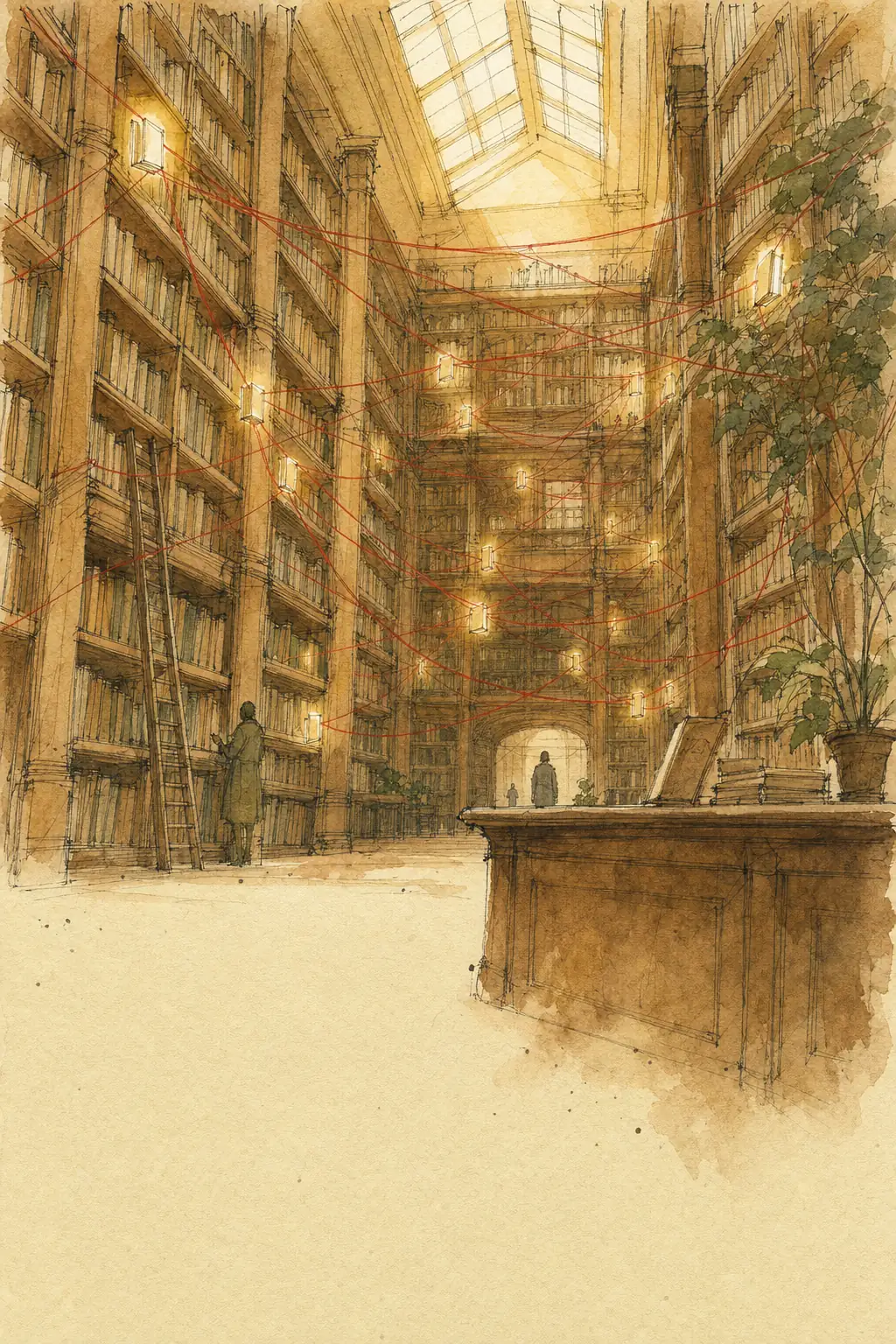
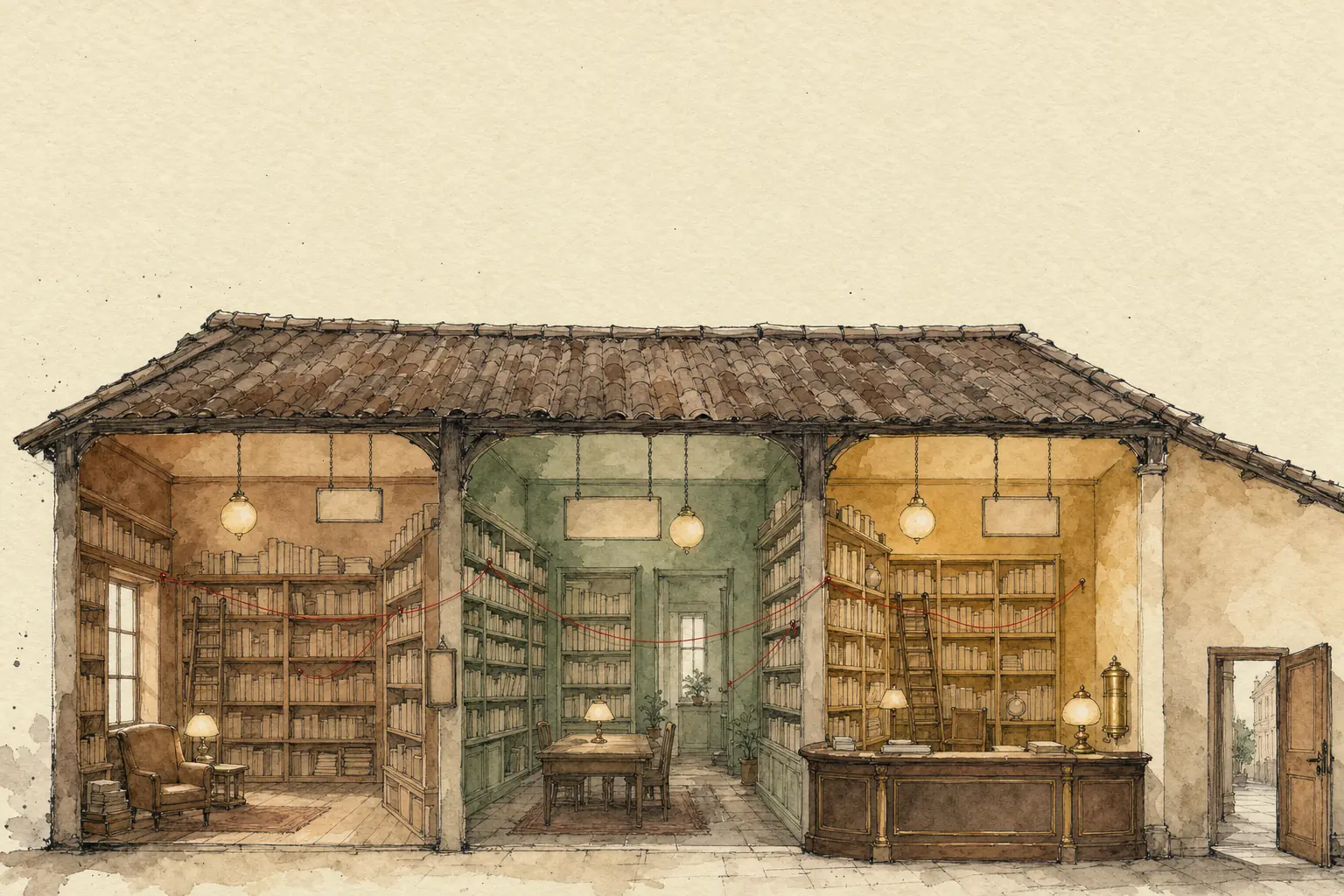
In the film, the library is your company’s documents and systems, and its rooms are your teams. The shared dictionary is the meaning your teams agree for their words. Catalogue cards say what each thing is and who wrote it. The red strings are the recorded links between people, things and documents. The front desk is search you can ask in your own words. Theo, the boy waiting on the phone, is a customer or colleague waiting on an answer. When three rooms give one answer, that is the dictionary and the strings working together.

SalesrefundSupportmoney backBillingreimbursement
Pick a question

How does the desk look?

Choose one; picking one turns the other off.

The desk checks:
  1. dictionary
  2. cards
  3. strings

Matches the spelling · “money back”

Matched the spelling in one room. The other two rooms use different words for the same thing.

Matches the spelling

  • “money back”: Matched the spelling in one room. The other two rooms use different words for the same thing.
  • “client”: Matched the spelling in Support only. Sales and Billing call the same person something else.
  • “account”: Matched the spelling in Sales and IT, but they mean different things. Sales means a customer; IT means a login.

Checks the dictionary, cards and strings

  • “money back”: The dictionary says refund, money back and reimbursement mean the same. Found in all three rooms, each with its catalogue card, and a string leads on to the refund rules.
  • “client”: The dictionary says customer, client and account holder are the same person. Found in all three rooms, each with its catalogue card.
  • “account”: The dictionary says account means two things here. Rather than guess, the desk asks back: which account, a customer or a login? Which account: a customer, or a login?
Worth knowing, and what experts call this

People and AI helpers can ask the same desk.

Worth knowing: The desk finds only what has been catalogued, connected and shared with the person asking.

Experts call this: semantic and enterprise searchA simplified illustration, not a measurement.

Watch · 2 min 19 sec

Knowledge You Can Find: answers, not more books

Ten-year-old Theo phones the library: can he get his late fee back? The answer is in three pieces, in three rooms, and every room calls him something different. A short story about connecting what you know and agreeing what words mean.

Read the story instead
  1. NarratorBook-sale morning. Theo, aged ten, phones: can he get his late fee back?
  2. NarratorThe answer’s in three pieces, in three rooms. Good luck.
  3. NarratorProfessor Wiggle the bookworm looks for the late-fee rules.
  4. Professor WiggleFound it! Oh. Soup.
  5. NarratorEach room calls Theo something else. Borrower. Member. Reader.
  6. Professor WiggleThree Theos? Busy kid.
  7. NarratorYour company can be like this library: the answer’s there, but nothing links the pieces. Connect them, and agree on what words mean.
  8. NarratorSales says customer, support says client.
  9. NarratorElif starts a shared dictionary. Borrower, member, reader: one meaning.
  10. NarratorThe dictionary also links things: members borrow books; late books get fees.
  11. NarratorShe writes a catalogue card for the books people need. What’s inside. Who wrote it.
  12. NarratorShe ties red strings. Each says how two things are linked.
  13. NarratorTheo borrowed this book. It came back late. Late books follow the late-fee rules.
  14. NarratorAsk the front desk in your own words: it checks the dictionary, cards and strings.
  15. NarratorHead office sends a memo: from today, everyone says member. By lunch, the map room says patron.
  16. Professor WiggleFour Theos now.
  17. ElifLovely memo. Didn’t work.
  18. NarratorYou can’t ban words. Write down which ones mean the same.
  19. NarratorTheo, still on hold. Elif follows the strings: money back?
  20. NarratorThree rooms, one answer: he returned it on a closed day. No fee was due. Theo gets his money back.
  21. Professor WiggleFound it! Well, the strings did.
  22. ElifNot bad for a Monday.
  23. NarratorAlgoshred starts with the questions your people can’t answer yet.
  24. NarratorWith your teams, we agree what words mean. Then we catalogue and connect, so those answers can be found.
  25. NarratorGot a Theo on hold? Visit algoshred.com, or write to contact@algoshred.com.

The idea in plain words

Four habits of a library where answers turn up

Each one in everyday words first, then the name experts use for it.

An old library in cross-section, three rooms linked by red threads pinned between books, with a front desk in front

Connect what you know. Agree what words mean.

  1. 01

    One shared dictionary for the words that matter

    Sales says customer, support says client, billing says account holder. Your teams keep their words; the dictionary writes down which ones mean the same, which word means two things, and how kinds of things relate: customers place orders, an order has an invoice.

    Experts call this: ontology, taxonomy and business glossary

    Worth knowing: A shared dictionary is more than a list of synonyms. It says what kinds of things exist and how they relate, and it keeps each team’s own words tied to one agreed meaning. It is agreed with the teams, and it changes as the business does.

    See why one word by memo doesn’t stick
  2. 02

    A catalogue card for the things people need

    Each important document or record says what’s inside, who wrote it, when it was last checked and who looks after it, so people can tell what something is before they open it.

    Experts call this: metadata

    Worth knowing: Catalogue cards help only while someone keeps them up to date. Cards can be suggested automatically where that is safe, and people check the ones that matter.

  3. 03

    Strings that say how things are linked

    Record the actual links between particular things, such as this customer placed this order, or this supplier supplies this part. Each link has a verb: wrote, supplies, is about. Then one question can follow the strings instead of five people chasing them.

    Experts call this: knowledge graph

    Worth knowing: Strings show what people have recorded. Links suggested automatically need a person’s review, and spotting that two records are the same customer, product or supplier is its own careful step.

    Follow the strings yourself
  4. 04

    A front desk you can ask in your own words

    One place to ask that checks the dictionary, the cards and the strings across your apps, and is set up to respect who may see what.

    Experts call this: semantic and enterprise search

    Worth knowing: The front desk can only find what has been written down, catalogued, connected and shared with the person asking. Asking in your own words works when those words are in the shared dictionary. Search and AI helpers should carry each source’s access rules through, so people see only what they could already open. Checking this is part of the work.

    Try the front desk

See the difference

The answer is in the links

Each pin is one particular thing your company keeps a record of. Each red string says how two of them are actually linked: this supplier supplies this part. Ask the board a question and follow the strings it plucks.

Toppling unsorted book towers beside the same library tidied, with cards in the books and red threads linking rooms
Every room its own pileCatalogued and connected
Ask the board

The path, in words

The late supplier supplies the gearbox part, which goes into the packing machine, which holds up the open orders.

  1. The late supplier supplies the gearbox part.
  2. The gearbox part goes into the packing machine.
  3. The packing machine holds up the open orders.

Worth knowing: The board shows only the links people have recorded.

Experts call this: knowledge graph

Agree what words mean

You can’t ban words. Write down which mean the same.

Three teams use three words for the same person. Head office could send a memo, or someone could start a shared dictionary. Try both.

An open dictionary on a desk, with blank paper slips drifting in from different directions and settling onto one glowing entry
How do the teams agree?

Memo from head office

From today, everyone says customer.

  • Salescustomer
  • Supportclient
  • Billingaccount holder
  • Partners teambuyer

The shared dictionary

customer (also: client, account holder, buyer) = a person or company that buys from us

Preferred in shared reports: customer

The memo says customer. Support still says client, Billing still says account holder, and by lunch the partners team says buyer. Now there are four words, and search misses buyer.

One word, two meanings

  • account: a customer, or a login? Each team reads it its own way.

The dictionary also records a word that means two things, so nobody mixes them up.

Worth knowing: Agreeing a preferred word for shared reports is often useful. Ordering everyone to drop their own words tends not to stick, because those words mean something in their work. The dictionary records which words mean the same, and can still mark one as preferred.

Experts call this: shared vocabulary (part of an ontology)

Sounds familiar?

The answer is here somewhere

If a few of these ring true, the answers exist but nothing links them.

  • “I know we have that document. I just don’t know where it is.”
  • “Sales and support each keep their own record of the same company, and our report counts it twice.”
  • “Search finds plenty of files called final_v2, and none of them is the one I want.”
  • “The answer is spread across three systems, and nobody can join the dots.”
  • “New starters spend their first weeks asking people where things are.”
  • “We answered the same customer question in different ways, because each team used its own words.”

A quick self-check

Six plain questions. Answer what you can, and we’ll point to where we’d look first.

01If two teams say “customer”, do they mean the same thing?
02Can a new starter find the latest version of a policy without asking someone?
03Do you know who looks after each important document?
04Can search find a document that uses different words from the ones you typed?
05Can you see how a contract, a supplier and a project are linked without opening several systems?
06Do search results respect who is allowed to see what?

Where we’d look first

Answer any question and the places we’d look first appear here.

Talk it through

Answer “No” or “Not sure” to any question to email the list.

Nothing is stored or sent unless you choose to email it.

What we help with

From the questions nobody can answer to knowledge people can find

Eight pieces of work. Start with one area and a few real questions, then add the next.

Words and meaning

Agreeing what words mean, with the teams that use them.

Find the questions people can’t answer yet

A short list of the questions worth answering first, and why each is hard today.

We collect the questions people struggle with, watch where they look today, and list the shelves, words and catalogues you already have.

Experts call this: knowledge and search assessment

A shared dictionary for one area

One agreed meaning for the words that matter most in that area, each with a named owner.

We sit with the teams that use the words, agree plain meanings, list each team’s own words for them and record how ideas relate. The dictionary is agreed with those teams and changes as the business does.

Experts call this: ontology, taxonomy and business glossary

Also in this area

  • A business glossary, each word with an owner
  • Word lists that keep each team’s own words
  • Ontologies: maps of what kinds of things exist and how they relate
  • Shared definitions for business numbers, so reports count them the same way (a semantic layer)

Cards and care

Saying what each thing is, and keeping that current.

Catalogue cards, and who looks after them

Cards that say what something is, how current it is and who looks after it.

A simple standard for what each document or record should say about itself, and named people who keep the cards up to date. Cards can be suggested automatically where that is safe; people check the ones that matter.

Experts call this: metadata standards, auto-classification

Also in this area

  • Catalogue card standards for documents and records
  • Cards suggested automatically, with people reviewing them
  • Access labels that travel with the content
  • Named owners, and a simple way to propose changes

Red strings (links)

Recording how things are linked.

Spotting the same thing under different names

Linked records, so reports that use the links can count one customer once.

We find where one customer, product or supplier appears under several names and codes, and link them. Links suggested automatically need a person’s review, and spotting that two records are the same customer, product or supplier is its own careful step.

Experts call this: entity resolution, master and reference data

Red strings for one real question

A working answer to that question, with the path of strings that led to it.

We record the links between people, documents, products and places that one important question needs, from your own sources.

Experts call this: knowledge graph design and build

Also in this area

  • Spotting the same thing under different names (record matching)
  • Knowledge graph design and build
  • Links drawn from your own source systems
  • Quality rules for connected facts

Finding and sharing

Putting it in front of people and systems.

A front desk that searches across your apps

One search across your apps, using your agreed words.

Search across your apps that uses the shared dictionary, the cards and the strings, and keeps each source’s access rules. It finds what has been catalogued and connected, so we start with the questions people ask most.

Experts call this: semantic and enterprise search, relevance tuning

Systems and partners that read data the same way

Agreed codes and mappings for the records that move between systems.

Shared codes and definitions for information that moves between your systems, or to partners and regulators, using sector standards where they exist. Getting systems to read each other’s information the same way takes agreed formats and mappings; the right choice depends on the systems involved.

Experts call this: semantic interoperability, data exchange standards

Ready for AI helpers

Answers that point back to your own sources, which people can check.

Giving AI assistants the same dictionary, cards, strings and access rules your people use, so they have your own sources to answer from and point back to, and a way to check their answers. AI helpers can still be wrong, so people check what matters.

Experts call this: knowledge-grounded AI, GraphRAG

Also in this area

  • Semantic and enterprise search across your apps
  • Testing and tuning which results come first
  • Data exchange with partners using sector standards (for example HL7 FHIR, the health-data exchange standard)
  • AI helpers that answer from your own connected facts, with people checking what matters

For your technical team: we can work with what you already use, for example SharePoint, Confluence, Elasticsearch, OpenSearch, Azure AI Search, Neo4j, Amazon Neptune, GraphDB, dbt and Snowflake, and with open standards such as RDF, OWL, SKOS, SHACL, Dublin Core and schema.org.

An open card-catalogue drawer, one card tucked into a book, with fresh and faded spines on the shelf behind

Ways to start

Ask your hardest question

A workshop that picks the first questions, and the words that cause the most confusion.

Catalogue check

A look at how one shared folder or system is catalogued and searched today.

One dictionary

Agreed words for one team or area, each with an owner.

First strings

A small set of strings that answers one real question, with the path shown.

Send us your question

How we work

Start with the questions, then agree, catalogue and connect

The same steps as the film: questions first, words agreed with your teams, then cards and strings for what those questions need.

  1. Questions first

    Start with the questions

    We collect the questions people struggle to answer and see where they look today. Those questions decide what gets catalogued and connected first.

  2. Agree

    Agree what words mean

    With the teams that use them, we agree plain meanings for the words that matter, keep each team’s own words, and note the words that mean two things.

  3. Catalogue

    Catalogue what those questions need

    We write catalogue cards for the documents and records the chosen questions need, and spot the same things under different names.

  4. Connect

    Connect, then open the desk

    We record the strings those questions follow, put a front desk in front of them, try it with the people who asked, and keep the access rules in place.

  5. Keep it tidy

    Keep it tidy, then the next area

    Named people in your teams look after the words, cards and strings, with a simple way to suggest changes. We show them how. Keeping it current is ongoing work, so we start small; we can help with the next area if you want us to.

What you get along the way

  • The question list, and why each question is hard today
  • A shared dictionary for one area: words, meanings, each team’s own words and their owners
  • A catalogue card standard, and the cards for the chosen documents
  • The recorded strings for the chosen questions
  • A front desk tried by real users, with the access rules checked
  • A short guide for the people who keep it tidy
A librarian’s desk with a rotary phone, question cards, red thread, a notebook and a child’s dinosaur drawing

Where it fits

Where it becomes real

Illustrative examples, not customer stories: the kind of work this approach suits.

Healthcare
A clinic and a lab agree the codes they use for tests, so a result sent from one is read the same way by the other.
Retail
A shopper who types “trainers” also finds what the catalogue calls sneakers and running shoes, because the dictionary records that sneakers mean the same and running shoes are a kind of trainer.
Manufacturing
When a supplier runs late, someone can follow the strings from that supplier to the parts, the machines and the orders that wait on it.
Financial services
One customer recorded under three names is recognised as one customer, with a person checking the doubtful matches, and access rules kept per team.
Professional services
A consultant finds earlier work on the same topic, and who did it, even though it was filed under different words.
Public sector
Departments agree what “household” or “resident” means, so their figures can be compared without arguing over the words first.

Good to know

Questions we are often asked

Plain answers to what owners and tech leads ask first. Something else on your mind?

Ask us directly

What is knowledge and semantic engineering, in plain words?

Connecting what your organisation already knows and agreeing what its words mean, so people can find an answer without knowing which shelf, folder or person it lives with.

Isn’t this just a better search box?

Search is the front desk. What it can find depends on the dictionary, the catalogue cards and the strings behind it, so that is where most of the work goes.

Do we have to move everything into one system?

No. Documents and records can stay where teams keep them. We catalogue them, agree the words and record the links, and the desk looks across them. Some setups copy or convert data, or build a search index of it (a list of what’s where); which one depends on your systems.

Do we need a graph database?

Not necessarily at the start, and not for every question. Some questions are answered well by catalogue cards and a shared dictionary in the tools you already have. When questions need to follow many links, a graph database (a database built to store and follow strings) is often the right home for them.

How does this help our AI assistant?

An AI assistant answers from what you give it. With a shared dictionary, catalogue cards and strings, it has your own sources to answer from and point back to. It can still be wrong, so people check what matters.

Will people see things they shouldn’t?

The desk should show each person only what they could already open. We check that each source’s access rules carry through, for people and for AI helpers.

Where do we start?

With a handful of questions your people can’t answer yet, and the words that cause the most confusion. One area first, then the next.

Who keeps it up to date afterwards?

Your own people, named for each area, with a simple way to suggest and approve changes. We show them how, and we can help with the next areas if you want us to.

Heard it before?

Myths, answered

Myth: “We just need a better search box.”

Answer: A search box can only find what has been catalogued and connected. Smarter search can guess that client and customer are close, but it can’t know that your Billing team’s account holder is the same person, or that account means a login in IT. That has to be written down.

Myth: “Just tell everyone to use one word.”

Answer: That was head office’s memo in the film, and by lunch there was a fourth word. A preferred word for shared reports can help, but ordering teams to drop their own words tends not to stick. Write down which words mean the same instead.

Myth: “AI will sort it out on its own.”

Answer: AI reads what you give it. If your facts are scattered and your words disagree, it guesses. Connected, catalogued facts give it something solid to answer from, and people still check what matters.

Myth: “Put everything in one big system and it’s solved.”

Answer: One big pile is still a pile. Finding comes from cards and strings, not from location.

Myth: “This is a giant project that takes years.”

Answer: Start with the questions people ask most and the words that cause the most confusion. Build the dictionary and strings for those first, then grow.

Myth: “Cataloguing is a one-off job.”

Answer: Knowledge keeps arriving. Cards and strings need simple habits and named owners so they stay current.

Myth: “A folder tree does the same thing.”

Answer: A file in a folder lives in one place. A contract is about a customer, a product, a place and a date at once. Strings let it sit everywhere it belongs.