
Cloud & Infrastructure · Built to breathe

Infrastructure that breathes with the crowd.

The computers behind your app, set up and run the smart way: written down once as a plan, growing and shrinking with the crowd, and rebuilt from that plan when needed.

Cloud & infrastructure engineering as a service

Vignesh T.V., CEO & CTO, Algoshred Technologies Pvt. Ltd.

A busy day at the guesthouse

In our short film, Leela’s guesthouse is the computers behind your app, the guests are your customers, the rooms are servers, the air company across the bay is the cloud, the meter is your bill, and the pump is the tools that build and repair everything from the written plan.

FULL

The bus arrives

FULL. Guests are turned away at the gate.

An illustration, not a measurement. Pay-as-you-go saves money only when usage is watched.

Watch · 2 min 24 sec

Cloud & Infrastructure, explained

A short story about Leela’s beach guesthouse, a goat called Chutney and a plan that builds rooms when guests arrive. No jargon, just what changes when the computers behind your app are written down and built to breathe.

Read the story instead
  1. NarratorSix rooms. Sixty guests.
  2. ChutneyMehhh! A whole bus?
  3. NarratorLeela’s brick guesthouse can’t grow when a bus comes. And only Uncle Felix knows the wiring.
  4. ChutneyI ate his notebook.
  5. NarratorEvery app runs on computers somewhere. Those computers are the app’s guesthouse.
  6. NarratorSo Leela writes her guesthouse down as one plan, and a pump builds it. Guests arrive? It puffs up. They leave? It shrinks.
  7. NarratorYour app’s computers, built from one written plan, growing and shrinking with the crowd. That’s cloud and infrastructure engineering.
  8. NarratorThe air comes from a big company across the bay. That’s the cloud. Leela pays for what she uses, so she watches the meter.
  9. NarratorThen, Chutney eats the plan.
  10. ChutneyCrunchy.
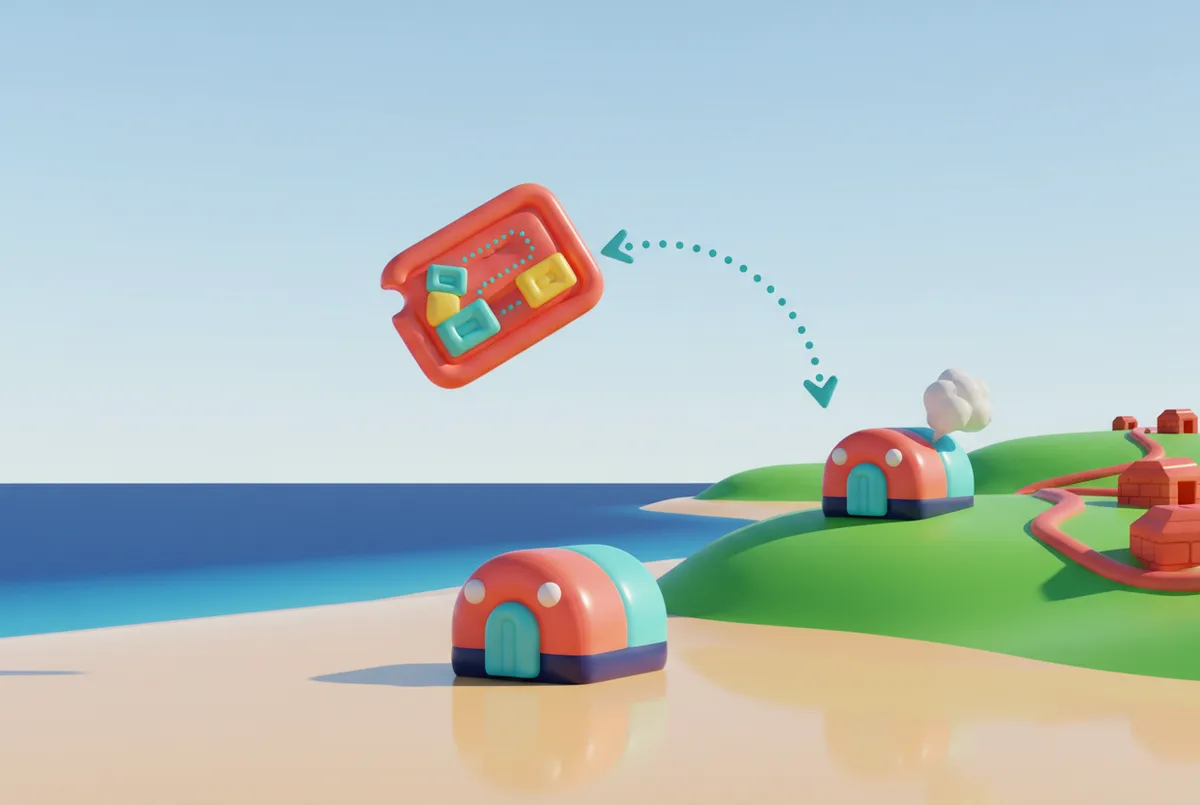
  11. NarratorLeela shrugs. A copy is kept safe, with every change. Send it up the hill, and the same guesthouse puffs up there.
  12. NarratorA sneaky purple room nobody planned? The pump lets the air out. Back to the plan.
  13. NarratorEach room comes packed with its own bed, fan and towel, so it works the same on the next beach. And if one pops?
  14. ChutneyWasn’t me. Probably.
  15. NarratorA new one puffs up by itself. Midnight: twelve guests off the last train. Nobody presses a button. Rooms puff up at the station while Leela sleeps.
  16. NarratorCareful: empty rooms left puffed up keep the meter ticking.
  17. ChutneyFive more minutes.
  18. NarratorNext door, Pinto moves his brick house to the big company’s shore. Same tangled wiring.
  19. NarratorThe guesthouse breathes in, and up the hill, a second one, from the same plan. Your app can do the same.
  20. ChutneyRoom for me?
  21. LeelaNo.
  22. NarratorWrite it down once. Build it again, the same way. Algoshred helps: we look at your setup, draw the plan, add locks and backups, move in steps, and teach your team.
  23. NarratorWant your app to breathe with the crowd?
  24. NarratorVisit algoshred.com, or write to contact@algoshred.com.

The idea in plain words

Four ideas in plain words

Each one in everyday words first, then the name experts use for it.

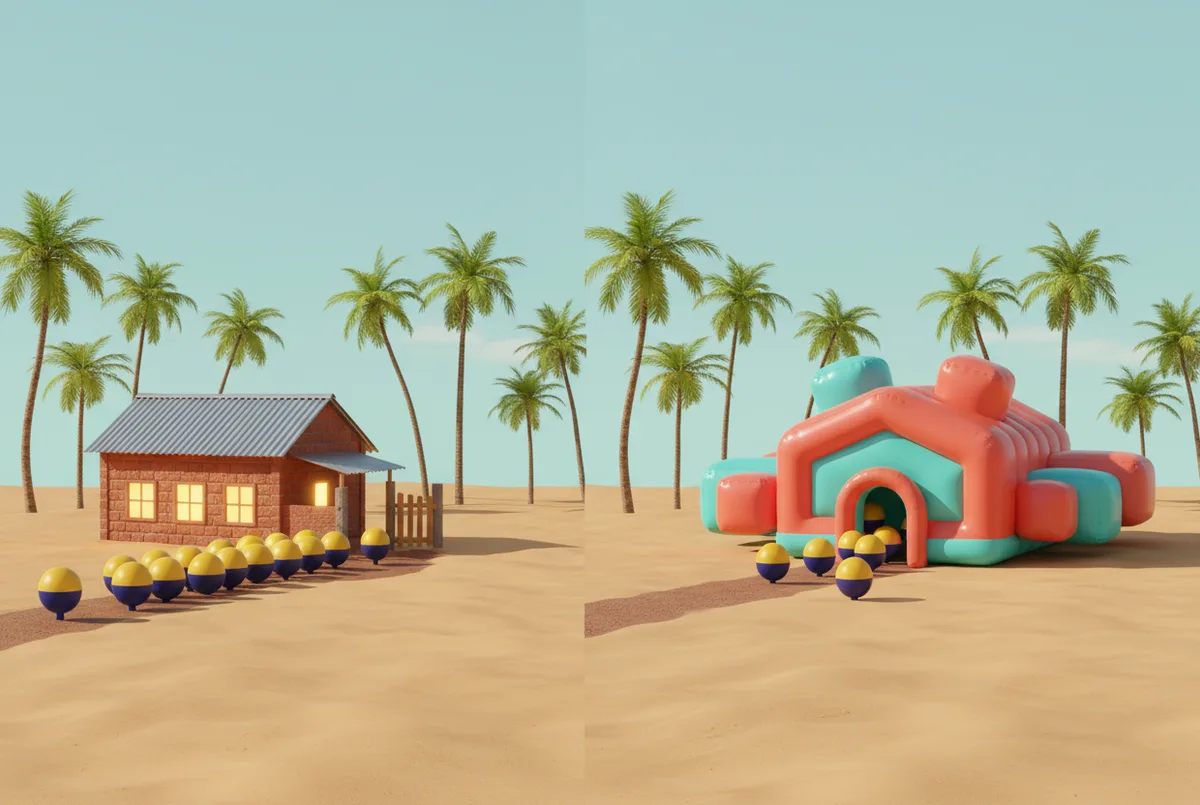
An inflatable beach guesthouse of puffy rooms, fed by air hoses, with a bus and a cloud down the beach road

Write it down once. Build it again, the same way.

  1. 01

    Grows and shrinks with the crowd

    Extra room opens when customers rush in and folds away when it’s quiet, so you pay closer to what you use.

    Experts call this: automatic scaling, pay-as-you-go cloud

    Worth knowing: Pay-as-you-go saves money only when usage is watched.

  2. 02

    Written down as one plan

    Every server, network and setting is written down, so anyone on the team can build it again from the plan instead of from memory.

    Experts call this: infrastructure as code

    Worth knowing: The plan rebuilds the setup; backups bring back the data. You need both.

  3. 03

    The plan is the boss

    Changes are reviewed and recorded before they happen, and the pump (the tools that build from the plan) quietly lets the air out of anything nobody planned.

    Experts call this: GitOps, drift correction

    Worth knowing: Changes still need someone to review them; the pump puts back the plan, not good judgement.

  4. 04

    Rooms that bring their own kit

    Each part of the app is packed with what it needs, so it runs the same in the next place, and a broken one can be swapped for a fresh copy.

    Experts call this: containers, self-healing

    Worth knowing: The same plan can rebuild the same setup in another place (another city or country). Moving between providers still takes planning.

See the difference

The goat ate the plan. Now what?

Rebuild the guesthouse up the hill, once from memory and once from the written plan.

A fixed brick guesthouse turning guests away beside an inflatable one that has grown rooms for everyone
Brick house: one fixed sizeBreathing house: grows

Press “Rebuild up the hill” to watch both crews build.

From memory

  1. Lobby, somewhere here?
  2. Was the aqua room left or right?
  3. Who knows the wiring?

What comes back: It comes back different: two rooms swapped, one missing and the wiring guessed.

From the written plan

  1. Lobby
  2. Coral room, left
  3. Aqua room, right
  4. Sunshine room, up top
  5. Locks and backups

What comes back: It comes back the same, step by step, because the plan was kept safe with every change.

Change list

  • Proposed:Purple room removed· Leela· Tue· waiting for review

Every change is reviewed and recorded, so you can see who changed what and, in most cases, roll it back.

Worth knowing: The plan rebuilds the setup; backups bring back the data. You need both.

Sounds familiar?

The signs a setup was built by hand

If any of these ring true, the computers behind your app are probably holding you back.

  • “The site slowed down or fell over on our busiest day.”
  • “The bill keeps surprising us.”
  • “Only one person knows how the servers are set up.”
  • “A small change took everything down.”
  • “It worked in testing, then broke for customers.”
  • “We moved to the cloud, but nothing really got better.”

A quick self-check

Six plain questions. Answer what you can, and we’ll point to where we’d look first.

01If your main server vanished tonight, could your team bring it back from written steps?
02Does your setup grow on busy days and shrink on quiet ones without someone stepping in?
03Do you know which team each part of your cloud bill belongs to?
04Is every change to your systems reviewed and recorded before it goes live?
05Do you know where your customers’ data is kept, and who can reach it?
06Could someone new understand what you run today, and why, in a day or two?

Where we’d look first

Answer any question and the places we’d look first appear here.

Talk it through

Answer “No” or “Not sure” to any question to email the list.

Nothing is stored or sent unless you choose to email it.

What we help with

From the first look to the day-to-day running

Four areas of work. Choose a focused starting point, or bring the pieces together into one plan for the whole setup.

Plan and place

Decide what runs where, and why, before anything moves.

Cloud health check

A clear picture of where you stand and a ranked list of where to start.

A plain-language review of what you run today: where it lives, who knows how it works, what it costs and where the risks are, checked against the cloud providers’ published good-practice checklists.

Experts call this: cloud assessment, well-architected review
Deciding what runs where

Each app placed for a stated reason, with a way out planned early, so moving later is easier.

Deciding which of your apps should run in rented cloud space, in your own building, close to your customers, or switched on only when someone uses it, and whether you need more than one provider or must keep data in one country.

Experts call this: cloud strategy, hybrid and multi-cloud, data residency

Also in this area

  • A check of how ready you are for the cloud
  • Using more than one provider, or the cloud plus your own building (hybrid and multi-cloud)
  • Designs that keep data where your sector rules, contracts or customers need it, with India’s Digital Personal Data Protection (DPDP) Act and Europe’s GDPR in mind; not legal advice
  • An app-by-app moving plan

Build the foundations

A safe, written-down base that every project starts on.

Cloud foundations

A safe, ready base with access rules and backups in place, for new projects to start on.

Accounts, access rules, networks, logging (a record of who did what, and when), backups and safety rules (limits that stop risky set-ups before they happen), set up from the written plan before anything moves in.

Experts call this: landing zone, guardrails

Moving and upgrading, in steps

Moves planned to fix old problems, not carry them to a new address.

Moving your apps in planned waves. For each one we decide whether to move it as it is, upgrade it, replace it or retire it, and we plan a way back in case a move goes wrong.

Experts call this: migration and modernisation

Also in this area

  • A ready-made base, set up from the written plan (landing zones)
  • Who can reach what, and the safety rules, written down as part of the plan
  • Network design with links to your own offices and sites

Run apps that grow and shrink

Packed, movable parts that grow and shrink with the crowd.

Packed apps that grow and shrink

Systems that can stretch with demand and recover faster when a part fails.

Packing each app with what it needs, so it runs the same way in the next place, plus the pump (tools that place the packs, grow and shrink them, and can replace one that fails). Small jobs can run only when they are called, and are paid per use.

Experts call this: containers, Kubernetes, serverless

Networks, and computers near your customers

Far-away users can get faster answers, and fewer doors into your systems are left open.

Private roads and gates between your systems, links to your own offices and sites, and computers placed near customers or machines where speed matters.

Experts call this: networking, edge computing

Also in this area

  • Packed apps and the tools that run them (containers and Kubernetes)
  • Code that runs only when it is called, paid per use (serverless)
  • Computers placed near customers and machines (edge computing)

Automate and keep it honest

The plan stays the boss, and the bill stays understood.

Your setup, written down as a plan

Testing and live setups built from the same plan, and a history of every change made through the plan.

Reusable templates that describe your servers, networks and settings, and a routine where every change is reviewed, recorded and applied from the plan, then moved from testing to live, step by step.

Experts call this: infrastructure as code, GitOps

Cloud bill care and team training

Fewer bill surprises, and a team ready to run it day to day.

An owner for every line of the bill, choosing the right size of machine, switching off idle ones and seeing what any AI features cost to run, plus step-by-step guides for your team, training and handover.

Experts call this: FinOps, right-sizing, runbooks

Also in this area

  • Reusable building blocks for your written plans
  • Changes moved from testing to live, step by step, from the plan (GitOps)
  • Automatic rule checks before changes go live
  • A clear view of the bill, an owner for each part, and regular clean-ups

For your tech team, the tools we use where they fit: AWS, Microsoft Azure and Google Cloud, your own data centre, Kubernetes, OpenTofu or Terraform, Pulumi, and Argo CD or Flux.

A plan card flying up a hill, where the same inflatable guesthouse is being rebuilt

Ways to start

Cloud health check

A plain-language look at what you run today, and a ranked list of where to start.

Foundations sprint

A safe, written-down base (accounts, access rules, safety rules, logging and backups) that new projects can start on.

Ask for a cloud health check

How we work

One step at a time, with a way back planned for each move

The same five steps the film walks through, in plain words.

  1. Look

    Look closely

    Take stock of what runs today, who knows it, what it costs and where the risks are. Agree what ‘better’ means for you.

  2. Plan

    Draw the plan

    A target design, a decision on where each app should run and a step-by-step roadmap, all in plain words.

  3. Locks & backups

    Foundations: access rules, safety rules and backups

    Build the safe, ready base from the written plan: accounts, access rules, networks, logging, backups and safety rules.

  4. Move in steps

    Move and upgrade in waves

    Start with low-risk apps, rehearse every move, plan a way back, then upgrade what needs it.

  5. Run & teach

    Run, tune and hand over

    Bill care, automation, step-by-step guides and training, so your team can run it day to day, and we can stay on afterwards if you want.

What you get along the way

  • A plain-language picture of what you run today and where the risks are
  • A target design and a step-by-step roadmap
  • Written plans for your setup, kept with every change
  • Step-by-step guides for your team (runbooks), dashboards and alerts
  • An owner for every line of the bill
  • Hands-on training for your team
A row of inflatable rooms at night, one popping while a fresh copy puffs up beside it

Where it becomes real

Illustrative examples, not customer stories: the kind of work this approach suits.

Retail and e-commerce
The checkout can stay open through a festival sale by adding room during the rush and folding it away after.
Healthcare
Patient records can be designed to stay inside the country, and every change to the systems holding them is reviewed and recorded.
Manufacturing
Small computers on the factory floor can react to sensors on the spot, without waiting on a far-away data centre.
Financial services
Test and live environments built from the same written plan, so what passed testing is built the same way as what customers use.
Education and online learning
Exam and admission days get extra room, and it folds away again in the quiet months.
Media and events
A live stream or ticket launch spreads its crowd across copies placed near the people watching.

Good to know

Questions we are often asked

Plain answers to what owners and tech leads ask first. Something else on your mind?

Ask us directly

What does “cloud and infrastructure engineering” mean in plain words?

Setting up the computers, networks and storage your apps run on so they grow and shrink with demand, can replace a part that fails and can be rebuilt from a written plan instead of from someone’s memory.

We’re a small business. Is this for us?

Often, yes. Pay-as-you-go lets smaller teams use the same kind of tools as large ones, though pay-as-you-go saves money only when usage is watched. We start with a health check and suggest only what fits your size.

Is the cloud cheaper than our own servers?

It depends. Renting pays off when you switch off what you aren’t using and choose sensible sizes. For some apps that run steadily all day, your own machines make more sense, and we’ll say so.

Do we have to move everything at once?

No. We move in planned waves, starting with low-risk apps, and we plan a way back for each move.

Which cloud or tools do you use?

We are tool-neutral. We work with the big public clouds, such as AWS, Microsoft Azure and Google Cloud, your own data centre, or a mix. We prefer widely used tools, open-source where it fits (for example OpenTofu), so your plans are easier to take elsewhere. Moving between providers still takes planning.

Can you help keep our data in India, or in another country?

Yes. We design for where data must live and who can reach it, and we work alongside your legal advisers on what the rules require.

What happens after the project ends?

The written plans, step-by-step guides and dashboards are part of the handover, and we train your team. We can stay on to run things alongside your team if you prefer.

Heard it before?

Myths, answered

Myth: “Cloud is cheaper, full stop.”

Answer: Renting saves money only when you switch off what you aren’t using. Left alone, the meter keeps running: pay-as-you-go saves money only when usage is watched.

Myth: “Cloud is just someone else’s computer.”

Answer: Partly. In the guesthouse story, the air company across the bay looks after the air; Leela still locks the doors and watches the meter. The provider looks after its buildings; you look after what you put inside.

Myth: “Just move it as it is and you’re done.”

Answer: Moving the brick house to the big company’s shore doesn’t untangle the wiring. You get the same problems at a new address, sometimes with a bigger bill.

Myth: “It’s only for big companies.”

Answer: Pay-as-you-go lets a two-person business use the same kind of tools as a large one and pay for what it uses, as long as someone watches the meter.

Myth: “Once it’s in the cloud, it runs itself.”

Answer: The cloud gives you tools to run things automatically. Someone still has to write the plan, set the rules and check the meter.

Myth: “Once you move in, you can’t leave.”

Answer: That depends on how it’s built. Plan the way out early, keep the plans in widely used tools (open-source where it fits), and know what moving data out costs.